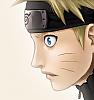
How to colour used soft shading ? O___O

undying

Artist
英雄メンバー / Eiyuu Menbaa / Hero Member
Joined
Jun 1, 2008
Messages
604
Reaction score
152
Gender
Male
Country
Indonesia
hi guys
mind u share knowledge about soft shading ?

how to colour used soft shading whitout tablet ?
juz a mouse O____O
let's discuss it here :d
 

- aMt -

Artist
有名人 / Yuumeijin / Celebrity
Joined
Aug 20, 2008
Messages
3,093
Reaction score
517
Age
32
Gender
Male
Country
Brazil
Well, is how to choose colors to paint in cell shade.

Depends on the style.

But it's important and choose a darker color and saturated in the shadows!
 

undying

Artist
英雄メンバー / Eiyuu Menbaa / Hero Member
Joined
Jun 1, 2008
Messages
604
Reaction score
152
Gender
Male
Country
Indonesia
Well, is how to choose colors to paint in cell shade.

Depends on the style.

But it's important and choose a darker color and saturated in the shadows!
For basic like that
I knew :p
but, what's tool should I use ? O___O
 

Bohemia22

Artist
英雄メンバー / Eiyuu Menbaa / Hero Member
Joined
Apr 8, 2008
Messages
674
Reaction score
208
Gender
Male
Country
Czech Republic
Use anything you want as long as it looks good. Basic setting for soft shading without a tablet is a brush with lowered opacity and flow. You can download some brushes using google. You can also try burn/dodge tool.
 

undying

Artist
英雄メンバー / Eiyuu Menbaa / Hero Member
Joined
Jun 1, 2008
Messages
604
Reaction score
152
Gender
Male
Country
Indonesia
Use anything you want as long as it looks good. Basic setting for soft shading without a tablet is a brush with lowered opacity and flow. You can download some brushes using google. You can also try burn/dodge tool.
Hmph, mind u tell me some name of brush ?
so, I can download it in google :d
 

Shindou

Registered User
下級員 / Kakyuuin / Jr. Member
Joined
Dec 15, 2007
Messages
94
Reaction score
40
Gender
Hidden
Country
Poland
Like Bohemia said, you have to change opacity and flow. When I hadn't tablet, I usually used this settings: opacity: 25% an flow: 30%. And brush you can use is Watercolor Loaded Wet Flat Tip, one of the default brushes. IMO the best settings:


And don't use burn/dodge tool! Colours will look flat and awful. They must be various, diffirenced etc, etc...
 

- aMt -

Artist
有名人 / Yuumeijin / Celebrity
Joined
Aug 20, 2008
Messages
3,093
Reaction score
517
Age
32
Gender
Male
Country
Brazil
i use just brush. dont use burn and dodge(is so ugly) ^^

--
take the example above the img!

my confgs are:

Choose a brush normal!

uncheck all options.

Then go to "Brush Tip Shape"

go in the "Spacing"

I change this to "0%"
 

nat

Registered User
有名人 / Yuumeijin / Celebrity
Joined
May 13, 2008
Messages
3,979
Reaction score
2,132
Gender
Female
Country
Bermuda
you can get brushes from DART...they have templates, many many of them,
There other ways as well....

here is a list of speed paints that I follow like the bible when I color :D
(some are japanese colorist, completely different way of thinking)

http://www.youtube.com/watch?v=1GiJKOESfWo&feature=channel_page

http://www.youtube.com/watch?v=h8Sgg_XH-oY&feature=channel_page

part one http://www.youtube.com/watch?v=zYc3zJcSt9A&feature=channel_page
part 2 http://www.youtube.com/watch?v=ENNbWDzJfpM&feature=channel_page

http://www.youtube.com/watch?v=A4gidt-YWxY&feature=channel_page

http://www.youtube.com/watch?v=_Cvk9XH2eDY&feature=channel_page

Really nifty tricks and special effects

for me, what I do is fill the shading areas with solid colors> change the hue till I see fit and then erase the edges with a low opacity eraser...makes cell shade with 3D quality if applied to the right places. and then add the highlight, usually purple or blue to the inner sides.
Some people use smudge tool to ease the transition, but it's a dangerous tool and a pitfall to newbies....Though many advanced artists know how to use it moderately.


hope that's close to the question and not off topic


Edit: found another video :)

http://www.youtube.com/watch?v=ifmKZJrQ3Vs&feature=related

 
Last edited:

undying

Artist
英雄メンバー / Eiyuu Menbaa / Hero Member
Joined
Jun 1, 2008
Messages
604
Reaction score
152
Gender
Male
Country
Indonesia
Like Bohemia said, you have to change opacity and flow. When I hadn't tablet, I usually used this settings: opacity: 25% an flow: 30%. And brush you can use is Watercolor Loaded Wet Flat Tip, one of the default brushes. IMO the best settings:


And don't use burn/dodge tool! Colours will look flat and awful. They must be various, diffirenced etc, etc...
O___O
how bout, If I used normal brush in hardness 0%, opacity 20 %, flow 30 %
It looks like weird ! O___O


i use just brush. dont use burn and dodge(is so ugly) ^^

--
take the example above the img!

my confgs are:

Choose a brush normal!

uncheck all options.

Then go to "Brush Tip Shape"

go in the "Spacing"

I change this to "0%"
0% spacing ?
I see, hmph, did u use smudge tool too ?
When I tried to use Smudge tool
my work very pitifull, worse than using cell shading !

you can get brushes from DART...they have templates, many many of them,
There other ways as well....

here is a list of speed paints that I follow like the bible when I color :D
(some are japanese colorist, completely different way of thinking)

http://www.youtube.com/watch?v=1GiJKOESfWo&feature=channel_page

http://www.youtube.com/watch?v=h8Sgg_XH-oY&feature=channel_page

part one http://www.youtube.com/watch?v=zYc3zJcSt9A&feature=channel_page
part 2 http://www.youtube.com/watch?v=ENNbWDzJfpM&feature=channel_page

http://www.youtube.com/watch?v=A4gidt-YWxY&feature=channel_page

http://www.youtube.com/watch?v=_Cvk9XH2eDY&feature=channel_page

Really nifty tricks and special effects

for me, what I do is fill the shading areas with solid colors> change the hue till I see fit and then erase the edges with a low opacity eraser...makes cell shade with 3D quality if applied to the right places. and then add the highlight, usually purple or blue to the inner sides.
Some people use smudge tool to ease the transition, but it's a dangerous tool and a pitfall to newbies....Though many advanced artists know how to use it moderately.


hope that's close to the question and not off topic


Edit: found another video :)

http://www.youtube.com/watch?v=ifmKZJrQ3Vs&feature=related
some videos didnt show setting tool ! O___O
they make me feel confused :s:s
I agree with u about smudge tool, I cannot use it


For everybody
If u know about soft shading, pls sharing here
i'm still need suggestion about soft shading ! O_O
 

nat

Registered User
有名人 / Yuumeijin / Celebrity
Joined
May 13, 2008
Messages
3,979
Reaction score
2,132
Gender
Female
Country
Bermuda
I guess you'll need more experience before understanding them fully :amuse
It's not about the tool itself but the coloring technique...

Good luck :)
 

lee-nus

Artist
英雄メンバー / Eiyuu Menbaa / Hero Member
Joined
Jan 4, 2006
Messages
1,902
Reaction score
611
Age
42
Gender
Male
Country
Sweden
never ever use the burn/dogde tool as bohemia suggested. sorry, but its a piece of crap and its much easier to control the outcome using an ordinary brush and a little skill.
 

nat

Registered User
有名人 / Yuumeijin / Celebrity
Joined
May 13, 2008
Messages
3,979
Reaction score
2,132
Gender
Female
Country
Bermuda
I use the burn tool for some highlights, on very low opacity...It does work on occasions especially with metallic textures and whatnot
 

Bohemia22

Artist
英雄メンバー / Eiyuu Menbaa / Hero Member
Joined
Apr 8, 2008
Messages
674
Reaction score
208
Gender
Male
Country
Czech Republic
You guys should learn how to use dodge/brun properly
 

lee-nus

Artist
英雄メンバー / Eiyuu Menbaa / Hero Member
Joined
Jan 4, 2006
Messages
1,902
Reaction score
611
Age
42
Gender
Male
Country
Sweden
You guys should learn how to use dodge/brun properly
i would very much like some proper instruction, so by all means, teach me. show me something really good that was done using the dodge/burn tool for instance.
 

undying

Artist
英雄メンバー / Eiyuu Menbaa / Hero Member
Joined
Jun 1, 2008
Messages
604
Reaction score
152
Gender
Male
Country
Indonesia
I guess you'll need more experience before understanding them fully :amuse
It's not about the tool itself but the coloring technique...

Good luck :)
I see, Lol
Well, I'll try it

never ever use the burn/dogde tool as bohemia suggested. sorry, but its a piece of crap and its much easier to control the outcome using an ordinary brush and a little skill.
Lol
use burn/dogde really so flat O_____O
i dont know why
but, that's true

I use the burn tool for some highlights, on very low opacity...It does work on occasions especially with metallic textures and whatnot
metal ?
I think not
I never use it for metal or highlight ! O____O

You guys should learn how to use dodge/brun properly
i would very much like some proper instruction, so by all means, teach me. show me something really good that was done using the dodge/burn tool for instance.
I'm agree with lee-nus
Might u can teach us how to use Burn/dogde tool
 

Y-on

Registered User
中級員 / Chuukyuuin / Member
Joined
Jul 27, 2008
Messages
234
Reaction score
30
Gender
Hidden
Country
United States
I see, Lol
Well, I'll try it


Lol
use burn/dogde really so flat O_____O
i dont know why
but, that's true


metal ?
I think not
I never use it for metal or highlight ! O____O


I'm agree with lee-nus
Might u can teach us how to use Burn/dogde tool
I'm pretty sure lee-nus was being sarcastic. Also, I agree with him, dodge and burn is just for those who don't know how to select the right colors (or maybe those who just like it, I don't know), of course there's nothing wrong with that. One thing that's bad with the dodge and burn method, however, is that it keeps everything under the same hue, thus your shadows will have no variation and depth. Though I'm not one to question preferences too much, as Nat stated that he uses the tools, and from my knowledge he's a fine artist. But if you want to improve select your own colors, go through trial and error, that's how you learn.
 
Last edited:
  • Like
Reactions: nat

nat

Registered User
有名人 / Yuumeijin / Celebrity
Joined
May 13, 2008
Messages
3,979
Reaction score
2,132
Gender
Female
Country
Bermuda
Nat is a girl....god bless her :D

Found another tutorial speed paint, somewhat advanced but the guy talks/explains about brush presets and special effects http://www.youtube.com/watch?v=_zp7w5dx58I&feature=channel_page

Soft shading is all about color buildup and choosing the right colors for base, shading and highlights. Like Tsuny said >trial and error, you start with understanding colors and how the interact to get a good balance.


tutorial on DArt, very good one with attention to details http://getty.deviantart.com/art/Tutorial-for-soft-cell-shading-27544088
 
Last edited:

Y-on

Registered User
中級員 / Chuukyuuin / Member
Joined
Jul 27, 2008
Messages
234
Reaction score
30
Gender
Hidden
Country
United States
Nat is a girl....god bless her :D

Found another tutorial speed paint, somewhat advanced but the guy talks/explains about brush presets and special effects http://www.youtube.com/watch?v=_zp7w5dx58I&feature=channel_page

Soft shading is all about color buildup and choosing the right colors for base, shading and highlights. Like Tsuny said >trial and error, you start with understanding colors and how the interact to get a good balance.


tutorial on DArt, very good one with attention to details http://getty.deviantart.com/art/Tutorial-for-soft-cell-shading-27544088
Haha, I see, Nat is a girl...even better. <3 I started out with Getty's tutorial, he gives a lot of good advice as he goes on. I also recommend others view the other tutorials in his gallery.
 
Last edited:
Top