Pen Pressure:
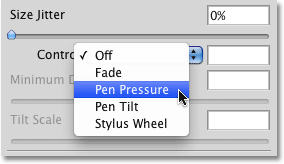
Select Pen Pressure if you have a pressure-sensitive pen tablet installed.
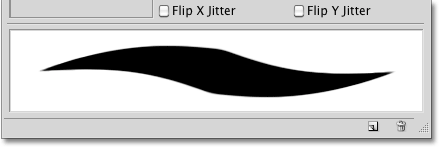
With Pen Pressure selected for the size Control option, the harder you press the pen into the tablet, the larger the stroke thickness becomes. Easing up on the pressure makes the brush stroke thinner. The preview area at the bottom of the Brushes panel will change to show the brush stroke tapered off at both ends when Pen Pressure is selected:
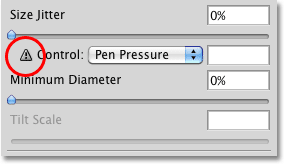
Of course, you can only use this option if you have a pressure-sensitive pen tablet installed on your computer. Photoshop won’t stop you from selecting Pen Pressure even if you don’t have a pen tablet installed, but it will display a small warning icon to let you know that even though you’ve selected it, it’s not going to work:
The warning icon is Photoshop’s way of saying “Nice try, buddy”.