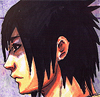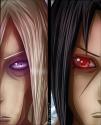
Minato (need help on this)

Weapon_X

Registered User
有名人 / Yuumeijin / Celebrity
Joined
Mar 26, 2009
Messages
3,314
Reaction score
2,611
Gender
Male
Country
England
Hello there. Currently I'm going through the zurosaki tutorial (http://www.naruto2.com/Naruto2/Zarosaki-ColoringTutorial.aspx) and so far I've reached the "Lightcource +Shading" section. I selected a "dark brush" but how do you shade? My shading doesn't appear straight, it appears wavy and out of context. Is there any tips? or do you have to do it manually?

This is what it should like (the Zurosaki example) :


But mine looks like this when i try to shade:


Please reply as soon as possible because my Photoshop trial CS4 is going to expire in 4 days. :) Thanks. Oh and I don't have a tablet either.

Also if there are any other better and tutorials without the need for tablet, please state. :)
 
Last edited:

- aMt -

Artist
有名人 / Yuumeijin / Celebrity
Joined
Aug 20, 2008
Messages
3,093
Reaction score
517
Age
32
Gender
Male
Country
Brazil
better ways to do with the brush, you need to use the rubber, and combining brush and rubber.

note: the color of the rubber base
 

Weapon_X

Registered User
有名人 / Yuumeijin / Celebrity
Joined
Mar 26, 2009
Messages
3,314
Reaction score
2,611
Gender
Male
Country
England
What do you mean? Like colour the whole hair with the darker colour and then rub out someparts so they look like shading?

That's hard. It still comes out as wavy, it's hardto get it straight. How do you get it straight? Isn't there a tool or something?
 

tEchIe

初心者/ Shoshinsha / Beginner
you need to learn how to use the pen tool, it's not only the fastest method to trace lines, its also the best method to cell and soft shade;
plus, it retains edit-ability better then any other tool or method...

I have some illustrator tutorials, but no photoshop ones, although their are the same, for them most part...
 

Weapon_X

Registered User
有名人 / Yuumeijin / Celebrity
Joined
Mar 26, 2009
Messages
3,314
Reaction score
2,611
Gender
Male
Country
England
Can you tell me how to use the pen tool? Cell and soft shade as well.
 

tEchIe

初心者/ Shoshinsha / Beginner
I'll do one better:
http://www.tutvid.com/tutorials/illustrator/tutorials/thePenTool.php

now, it's for illustrator, but it uses the same keyboard shortcuts and it's basicly the same...

let me know if it's still not enough...

p.s: and then, their is this: http://www.melissaclifton.com/tutorial-pentool.html
it doesn't cover the usage of keyboard to get the proper work-flow, but it covers the basics pretty well...
- the idea is that once you've got your target area selected, you can fill it with colour... this will result in cell-shading
- from that point on you can use all the normal tools and methods you already know in order to make it a soft shade - softening the transition between the colours you filled, and then using the other tools for the detailing...
 
Last edited by a moderator:

nat

Registered User
有名人 / Yuumeijin / Celebrity
Joined
May 13, 2008
Messages
3,979
Reaction score
2,132
Gender
Female
Country
Bermuda
Hmm, usually the pen tool is for cell shade only, unless you do gradients for soft shade or gaussian blurs (which I don't recommend).

Sometimes you draw lines with small brush to make a perimeter line and then with the wand tool you select the area you want and fill with bucket. (that's what I do with paint tool SAI). Or the lasso works too.


Another advice will be to choose good colors, the colors you chose are simple. It's not your fault, it's the typical tutorial that teaches how to simply shade and nothing more. By colors I mean stronger contrasts and different hues for shading :)
Most of the times you can tell an artist by the colors he uses.


If you want fun tutorials maybe these can help , don't know what you have in mind but there are some easy tricks in these tuts...(for color and shading)

http://forums.narutofan.com/showpost.php?p=24002266&postcount=115

edit: fixed link
 
Top